AI Workflow for Beginners: How to Turn One Prompt Into a Repeatable System
A practical beginner guide to building your first AI workflow for content, business tasks, research, and productivity without relying on random prompt lists.
 Daniel Charles Mwangila
Most beginners do not need more AI prompts.
They need a simple workflow that turns AI from a random answer machine into a practical assistant for research, planning, writing, editing, organizing, and improving real work.
That is the difference between playing with AI and using AI with purpose. A prompt is one instruction. A workflow is a repeatable process that helps you get a useful result every time.
This guide will show you how to build your first AI workflow without coding, technical setup, or complicated automation tools. You can use it for content creation, business planning, product ideas, research, social posts, client work, newsletters, or personal productivity.
What Is an AI Workflow?
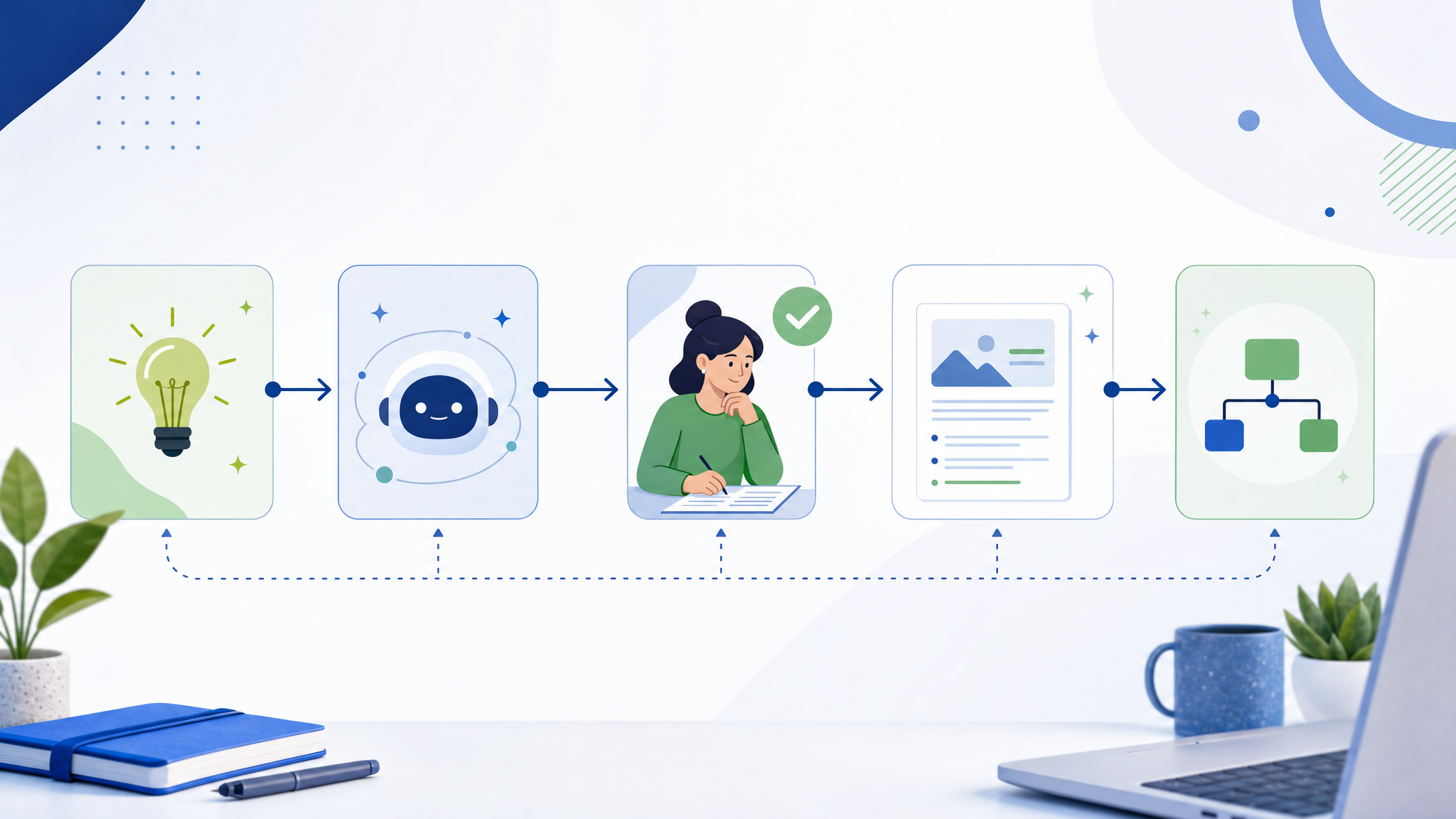
An AI workflow is a step-by-step process where AI helps you complete a task from start to finish.
Instead of asking one broad question like “write me a blog post,” you break the work into smaller stages:
- Define the goal.
- Give the AI useful context.
- Generate ideas or options.
- Organize the best direction.
- Create the first draft or output.
- Review and improve it with human judgment.
- Turn the final result into something useful.
That structure matters because AI performs better when it knows the purpose, audience, constraints, and output format. A workflow gives the tool a job to do instead of hoping one prompt will solve everything.
Why Beginners Should Start With Workflows, Not Prompt Lists
Prompt lists can be helpful, but they often create a shallow habit: copy, paste, get an answer, move on.
A workflow builds a stronger skill. It teaches you how to think through a task, give better instructions, check the result, and reuse the same process later. That is what makes AI useful for creators, freelancers, entrepreneurs, and small business owners.
When you build workflows, you stop asking, “What prompt should I use?” and start asking, “What process will help me get the right outcome?”
The Simple 5-Step AI Workflow for Beginners
Use this structure whenever you want AI to help with a real task.
1. Define the Outcome
Start with what you want to finish, not what you want the AI to generate.
Weak goal: “Help me with content.”
Better goal: “Help me create a 700-word beginner blog post that explains how freelancers can use AI to speed up client research.”
The better goal tells AI the topic, audience, format, and purpose. That creates a clearer result.
Use this starter prompt:
I want to create [output] for [audience] so they can [desired result]. Before creating anything, help me clarify the goal, the reader problem, and the best structure.
2. Add Context
AI is only as useful as the context you give it. If you want a stronger result, explain what the work is for, who it serves, what tone it should use, and what constraints matter.
Useful context can include:
- Your audience or customer.
- The platform or format.
- Your offer, product, or goal.
- The level of the reader.
- Examples of what you like or dislike.
- Rules the output must follow.
For Inspire Growth AI, the context is practical: help beginners use AI to create value, save time, build useful systems, and avoid hype.
Use this prompt:
Here is the context: [paste audience, goal, offer, platform, voice, constraints, examples]. Ask me up to five questions if anything important is missing before you continue.
3. Generate Options Before Choosing One
Do not ask AI for one final answer too early. First, ask for options.
This is useful because the first output is not always the best direction. Options let you compare angles, choose the strongest one, and avoid building around a weak idea.
For example, if you are creating a blog post, ask for:
- Five possible titles.
- Three article angles.
- A simple outline for each angle.
- The reader problem each angle solves.
- The best call to action for each angle.
Use this prompt:
Give me 5 possible directions for this project. For each one, include the audience problem, the promise, the format, and the best next action. Then recommend the strongest option and explain why.
4. Create the Draft in Stages
A common beginner mistake is asking AI to produce the entire final output in one step. That can work for simple tasks, but it often creates generic content.
For better results, build in stages:
- Create the outline.
- Improve the outline.
- Draft one section at a time.
- Check for missing examples.
- Rewrite for clarity and voice.
- Add a practical next step.
This gives you more control. It also makes the workflow easier to review.
Use this prompt:
Draft this one section only: [section name]. Keep it clear, beginner-friendly, specific, and practical. Include one example and one next action. Do not write the full article yet.
5. Review With Human Judgment
AI can help you move faster, but you still need to review the result. This is where your judgment protects quality, trust, and accuracy.
Before publishing or using the output, check:
- Is the advice true and useful?
- Does it fit the audience?
- Does it sound like your brand or voice?
- Are there vague claims that need examples?
- Are there facts, tools, prices, or platform rules that need verification?
- Is the next action clear?
Use this prompt:
Review this draft like an editor. Flag vague advice, unsupported claims, missing examples, unclear structure, and places where human verification is needed. Then suggest a cleaner final version.
Example: A Beginner AI Content Workflow
Here is how the workflow might look for a creator who wants to turn one idea into several useful content assets.
Goal
Create one educational blog post, three social posts, and one email from a single topic.
Workflow
- Give AI the topic, audience, offer, and tone.
- Ask for five angles and choose the strongest one.
- Create a blog outline with a clear reader problem and CTA.
- Draft the article in sections.
- Ask AI to turn the article into three platform-specific social posts.
- Ask AI to write one email that points readers back to the article.
- Review everything for accuracy, voice, and usefulness.
This is stronger than asking AI to “write content” because every step has a purpose. The workflow creates a content system, not a pile of disconnected outputs.
What You Can Use This Workflow For
Once you understand the structure, you can reuse it across different tasks.
Creators can use it to:
- Plan weekly content.
- Write scripts and captions.
- Repurpose videos into posts and emails.
- Create lead magnets and checklists.
- Improve hooks, headlines, and outlines.
Freelancers can use it to:
- Research client industries.
- Draft proposals.
- Create client onboarding documents.
- Turn service knowledge into templates.
- Improve delivery checklists.
Small business owners can use it to:
- Plan offers.
- Write product descriptions.
- Create customer FAQs.
- Build simple operating procedures.
- Prepare marketing campaigns.
The Prompt-to-Workflow Template
Use this template whenever you want to turn a simple prompt into a repeatable AI workflow.
I want to complete [task] for [audience/customer/user]. The final output should be [format]. The goal is [business or personal outcome]. Here is the context: [details]. Build a step-by-step AI workflow for this task. Include what I should give the AI at each step, what output I should expect, what I need to review manually, and how to turn the result into a useful final deliverable.
This prompt works because it asks AI to design the process before producing the final answer. That single shift helps beginners move from random prompting to practical workflow thinking.
Common Beginner Mistakes
Using AI Without a Goal
If you do not know what you want to finish, AI will usually give you a broad answer. Start with the outcome.
Skipping Context
Generic input creates generic output. Give the AI the audience, format, purpose, voice, and constraints.
Publishing Without Review
AI output can sound confident even when it needs correction. Review facts, examples, claims, and tone before using it.
Trying to Automate Too Soon
Before connecting tools or building automations, prove the manual workflow works. A bad process does not become better because it is automated.
Final Takeaway
The best beginner AI workflow is simple: define the outcome, add context, generate options, create the draft in stages, and review with human judgment.
That process can help you create better content, organize ideas, improve business tasks, and build useful systems without getting lost in tool-hopping or random prompt lists.
Start with one task you already do every week. Turn it into a repeatable AI workflow. Test it, improve it, and save the steps so you can reuse them.
That is how AI becomes practical: one clear workflow at a time.